Assisted Technology
Assist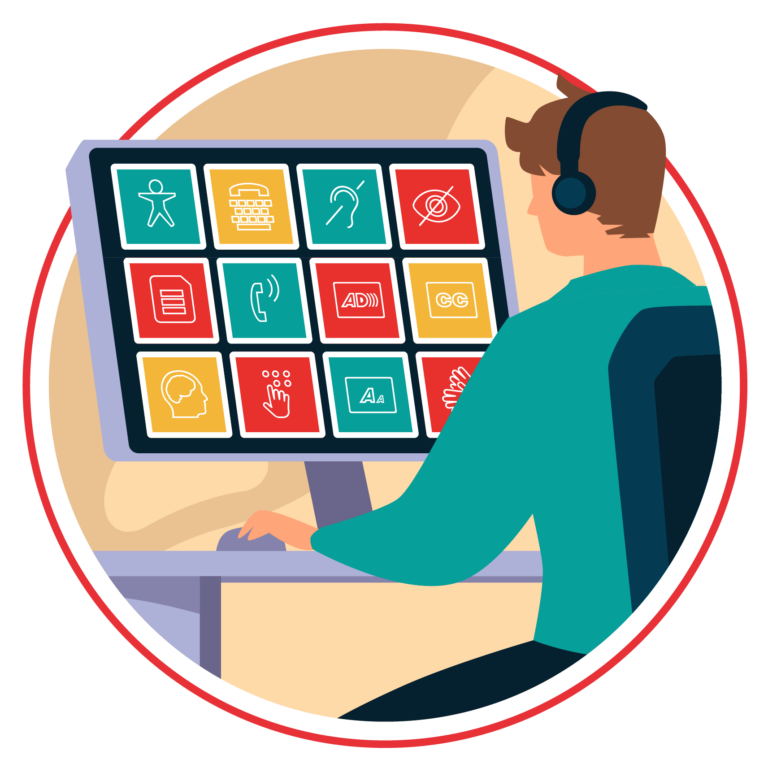 ive Technology: What It Is
Assistive technology (AT) refers to any tool, device, or system—low-tech or high-tech—that helps students with disabilities access learning and communicate more effectively. It doesn’t cure a disability but provides alternate pathways for reading, writing, speaking, or organizing information, supporting greater independence in the classroom.
Challenges of Assistive Technology
Despite its benefits, AT comes with challenges. Not all tools work for every student, and poor matches can create frustration. Training is often required for both staff and students, and high-tech options can be expensive or difficult to maintain. Some students may also feel self-conscious using visible technology, which can affect their willingness to use it consistently.
Choosing Assistive Technology
Selecting AT is a collaborative process, often guided by an IEP team. The focus is on identifying the student’s specific needs and goals, trying different tools, gathering feedback, and providing training. Effective AT must be integrated into daily routines and regularly reviewed to ensure it truly supports participation and learning.
Examples of Assistive Technology
Examples include text-to-speech for reading, speech-to-text for writing, word prediction tools, visual schedules, and AAC systems like PECS or speech-generating devices. Many digital devices already include built-in accessibility features. Today, AI-enhanced tools add new possibilities—such as personalized voice generation, predictive language support, and chat-based communication practice—offering powerful new avenues for students with autism to express themselves and build communication skills.
Using Assistive Technology to Support Communication Skills
Assistive technology plays a vital role in supporting communication for students with autism, especially those who struggle with verbal speech. Tools such as picture-based systems (PECS), speech-generating devices, and communication apps give students alternative ways to express needs, make choices, and participate socially. These technologies reduce frustration, encourage independence, and help build expressive and receptive language. By offering visual, auditory, and interactive support, assistive technology creates accessible pathways for communication, allowing each student to “have a voice” in a way that suits their abilities. With the addition of modern AI tools—such as predictive language apps and conversational AI—students now have even more personalized and flexible options to practice and grow their communication skills.
🧠 Understanding Assistive Technology for Communication
Assistive technology (AT) refers to tools and devices that aid individuals with disabilities in performing tasks they might otherwise find challenging. For individuals with ASD, AT can significantly enhance communication, regardless of their speech abilities.
Augmentative and Alternative Communication (AAC) is a subset of AT specifically designed to support or replace spoken language. It includes:
- Low-tech options: Picture Exchange Communication Systems (PECS), communication boards.
- Mid-tech devices: Battery-operated speech-generating devices.
- High-tech tools: Tablets and smartphones equipped with AAC apps like Proloquo2Go or LAMP Words for Life.
🛠️ Getting Started with Assistive Technology
• Types of Assistive Technology: From low-tech visual schedules and communication boards to high-tech tablets with AI, these tools support learning, communication, and daily living.
• Communication Supports: AI-driven voice apps and text-to-speech could enhance expressive and receptive skills, allowing students to communicate independently.
• Executive Functioning Aids: Digital planners or reminder apps can help with organization, planning, and task management.
• Social Skills Development: Interactive apps or AI programs can simulate social scenarios to build understanding and confidence.
• Sensory Challenges: Noise-canceling headphones, calming apps, or timers can help manage sensitivities and reduce stress.
• Safety Tools: GPS devices or alert applications provide peace of mind for families and caregivers.
Students advanced in using AT could gain independence while allowing teachers or occupational therapists to tailor lessons to their abilities. Even though my experience is observational, it is clear that AT—when thoughtfully applied—can enhance learning, communication, social engagement, and confidence for individuals with autism.